SSDs do Fail, and SSD Data Recovery is Harder Than You Think

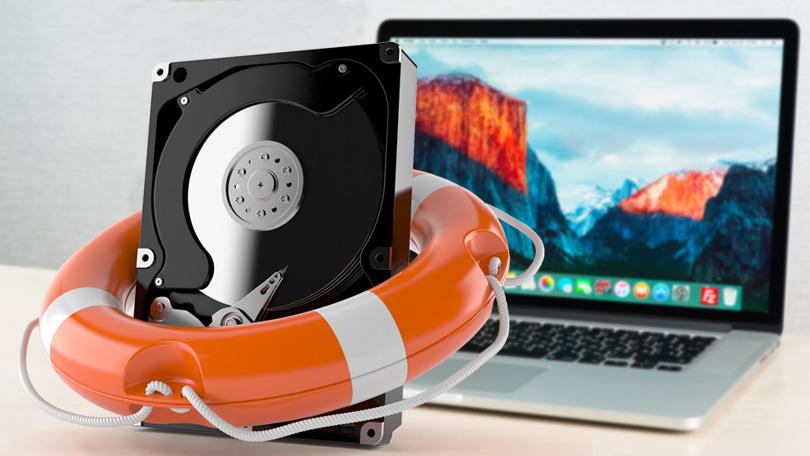
On the technological highway, solid state drives (SSD) are miles ahead of hard drives. When you compare SSDs and hard drives, you will find that SSDs are:
- More stable
- More efficient
- Faster
- Sturdier
They also have an expected life span of five to seven years. But they aren’t infallible. SSDs do fail. Not only that, but, SSDs have a tendency to fail when you least expect it. Because SSDs are so efficient, chances are you keep your most important information there, but SSD data recovery is harder than you think.
Why Do SSDs Fail?
SSDs are efficient storage devices because unlike hard drives, they don’t have moving parts like platters commonly found in hard drives. This doesn’t mean that they don’t have issues though.
SSDs are powered by a capacitor and power supplies which can malfunction, especially when there’s been an unexpected power failure or power surge. When power failure happens, SSDs can even corrupt critical data already on the drive, so even if the SSD hasn’t failed completely, you’re dealing with lost data.
How Do I Know if I Need SSD Recovery?
If your hard drive is failing, you’ll be plagued with incessant ticking or whirring which will let you know it is dying. Unlike hard drives, SSDs won’t make a noise to tell you something is wrong. So how do you know if your stored data is safe from failure?
Bad Block Errors - There are “bad blocks” on SSDs, which typically happens when your computer tries to read or save a file but it takes a particularly long time and ends in failure. The system will eventually give up with an error message.
You’ll know you have a bad block error when:
- A file can’t be read or written to the drive.
- Your operating system needs to be repaired.
- Applications crash or freeze up.
- You experience errors while moving your files
- Your computer generally runs slow
Files Can’t be Read or Written
A bad block might be detected while writing data to the drive and refuse to write data, or the bad block is detected after the data has been written and neglects to read data.
If your drive hasn’t written any data, it isn’t corrupted. Sadly, if it can’t read the data, you’ll probably need drive data recovery.
Your File System Requires Repair
When your OS lets you know you need to repair your file system, this might signal a failing SSD.
Sometimes this happens because you didn’t shut down your OS properly. But other times, it can mean that your SSD is developing bad blocks or there is an issue with the connector port.
In this case, your OS will help you out with built-in repair software to save your file system. Your computer will prompt you to run the tool, and you’ll follow their steps to fix your file system.
Losing data is possible during this process, and if it is very important you might need to call an SSD data recovery service to rescue it.
Your SSD Crashes While Booting
If your computer crashes during the boot process but works perfectly after you restart it a few times, your drive is probably the culprit. This might be the sign of a dying drive or a bad block.
Your SSD Suddenly Becomes Read-Only
If your drive says that it is read-only, your SSD has bad sectors. The success rate of SSD recovery is low in this case.
SSD Data Recovery is Harder Than You Think
- SSDs often have self-encrypting drives. Encryption keys can decrypt your flash memory disk drive, but unfortunately, these keys might be stored in a location that has failed, like the circuit board controller.
- SSDs can overwrite files while it is operating. This increases your chances of data loss significantly.
- SSDs might be experiencing physical or memory issues. In this case, the drive will overwrite the files you have on your device and you will need to call an SSD data recovery company to recover your data.
Call an SSD Data Recovery Company
Time is of the essence. Many data recovery companies don’t even offer this as a service, because they focus on fixing easy issues like hard drive failure, instead of investing in research and development. Choose a data recovery company that will do free evaluations so that if they can’t rescue your data, there is no charge.
SSD failure can an annoyance at best, a catastrophe at worst. But if you call upon the help of an expert, you can relieve this pain quickly and easily, and get your important data back.