How to Install Titanium Build on Kodi
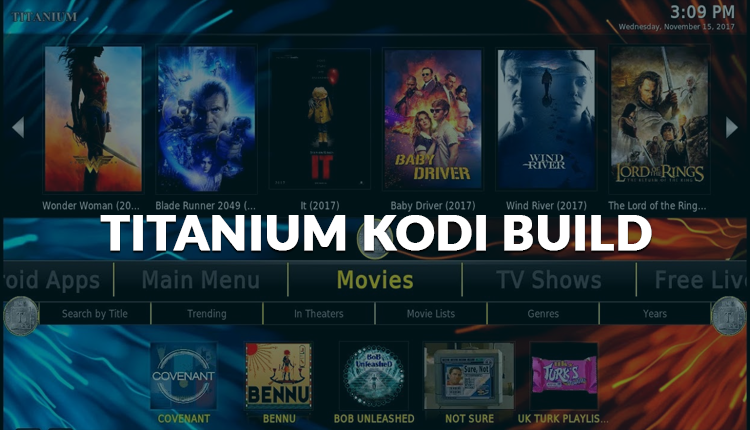
In this tutorial, we are going to show you how to install titanium on Kodi. Titanium is a build on Kodi which includes the best features like movies, TV shows, Live TV etc. You can get this build with just one easy installation. This Kodi addon has a lot of nice reviews from users. You can enjoy all kinds of favorite features with just one click. The visual appearance of this Kodi addon is very appealing. The fonts of this add-on include a modern touch with lots of amazing functions. So let's learn how to install Titanium on Kodi.
Please follow these steps to install Titanium on Kodi…
1. First, you need to open Kodi
2. Now click the settings icon from the top left of the home screen
3. Click “System Settings”
4. Select Add-ons button from the left panel
5. Now turn on the “unknown resources” if it is not turned on yet.
6. Now go back to the system page.
7. Click File Manager
8. Select “Add Source”
9. Click <None>
10. Type “repo.supremebuilds.com” and then click OK
11. Highlight the box right under the source you just enter your URL. For this media source enter a name, type any name that you can identify this source. After that click OK.
12. Now go back to your Kodi home screen
13. Click Add-ons from the menu item
14. Select the tiny “Open Box” icon at the top left side of the screen right under the “Add-ons heading”
15. Click “Install from zip file”
16. Click the name of the media source you have already assigned.
17. Select “repository.supremebuilds.zip”
18. Wait until the Supreme Builds Wizard add-on message to show up.
19. Click “Install from Repository”
20. Select “Supreme Builds Repository”
21. After that, click on “Program Add-ons”
22. Click “Supreme Builds Wizard” and click on the install button
23. You can select enabled any of the settings you need and then click ignore when pop up box shows up.
24. Now return to the Kodi home screen and select Add-ons
25. Again click program add-ons
26. Click “Supreme Builds Wizard”
27. Click Builds and after that click Titanium
28. Click fresh install or standard install
29. Finally, click yes to install Titanium
After downloading Titanium add-on, you need to restart Kodi. If you are getting in trouble to install Titanium Kodi addon then you contact us (Best Droidplayer) and ask your query.